

Art Gallery Case Study
Art Gallery LED Display Upgrade - Case Study
Cyclone was selected by the Christchurch Art Gallery to enhance their large-scale display installation, improving visual quality and creating a more immersive viewing experience for visitors.
The Challenge
The pre-existing video wall consisted of 18 x 55” display panels on each side. The setup had several limitations that impacted overall effectiveness.
Visible bezels between panels disrupted the image and reduced visual impact. In addition, the reflective surface made it difficult to maintain visibility in the bright gallery environment, limiting the overall viewing experience.
Together, these factors took away from the intended impact of the content and limited the quality of the viewing experience.
The Solution
To address these challenges, Cyclone designed a solution focused on seamless visual delivery and performance in a high-light environment.
Cyclone supplied and installed a TaylorLED COB (Chip On Board) solution, designed to overcome the limitations of traditional panel-based displays.
The new solution included:
- Two LED walls, each 6.6m long x 2.4m high
- Super fine pixel pitch of 0.9 for high-resolution
- A total resolution of 7040 x 2520
- Smartsign digital software for a pixel-to-pixel match
- High brightness (1000 nits) suited to a bright gallery environment
- Custom 90-degree corner configuration to enable content to wrap cleanly and provide seamless image quality.
- To ensure ease of use and flexibility, the system was integrated with a control solution enabling:
- Manual brightness adjustment for varying conditions. This allows Art Gallery staff to select the brightness they want, especially useful during night-time events.
- Simple laptop connection for easy content presentation. This overrides the normal digital signage content presentation.
This transformed the display from a segmented video wall into a fully integrated digital experience.
Enhancing the Viewing Experience
The new LED installation has significantly improved how content is viewed and experienced within the gallery.
Visitors now engage with a seamless, high-quality visual environment designed to support immersive storytelling. At the same time, the gallery benefits from a system that is easier to manage, more adaptable, and better suited to a wide range of events and use cases.
Audio Visual Expertise
Delivered by Cyclone’s specialist AV team, this project reflects a considered approach to design, installation and ongoing usability – ensuring the technology supports the space without adding complexity.
If you would like to explore how our AV solutions could enhance your organisation, please reach out to the Cyclone team.
Allied Media Case Study
Protect: People Case Study - Allied Media
Allied Media engaged Cyclone to strengthen their human firewall by implementing Protect: People, a fully managed security awareness and phishing simulation service. The programme covers over 300 users and focuses on reducing the risks caused by human behaviour.
“What stood out with Protect: People is the continuous approach. Rather than one-off training, we’re seeing ongoing improvement in how our people identify and respond to threats. It’s helping us build a stronger security culture across the organisation.”
– Timo Janssen, CITO, Allied Media
The Challenge
Like many organisations, Allied Media recognised that phishing and social engineering remain one of the most effective attack methods. They needed an approach that would:
- Build practical, lasting user awareness
- Reflect real-world attack scenarios
- Deliver measurable improvement over time
- Be simple to manage and scale
The Solution
Cyclone implemented Protect: People, a continuous, managed security awareness programme combining:
- Baseline phishing simulation to establish user behaviour and awareness
- Ongoing phishing simulations with quarterly spear-phishing simulations
- Behaviour-led localised online training
- A personalised training session
- Ongoing reporting to track engagement and behavioural improvement
- End-to-end programme management with no additional management required by the customer
This enabled Allied Media to move beyond one-off training to a structured, measurable awareness programme.
Bringing the Risk to Life
As part of the programme, Cyclone delivers a quarterly targeted spear‑phishing simulation designed to reflect realistic attack scenarios.
In one campaign, users received an email offering a free coffee from a local café. The message included a link prompting users to log in to redeem the offer – mimicking a highly believable, localised phishing attempt.
Some users clicked the link and submitted their details, highlighting how easily even well‑intentioned employees can be caught by highly credible, real-world attacks. Some users took it a step further, even going to the café to redeem their ‘free’ coffee.
This example provided a powerful learning moment, helping users to:
- Recognise suspicious links and login prompts
- Better understand how attackers use familiarity and incentives
- Apply critical thinking before engaging with unexpected offers

Strengthening the Human Firewall
Over time, Allied Media has seen a measurable shift in user behaviour and awareness, with employees better equipped to recognise and respond to potential threats. By embedding security awareness into everyday activity, the programme has helped move cyber security from a one-off exercise to an ongoing, practical discipline across the organisation.
If you’re looking to take a more proactive approach to protecting your people, get in touch with Cyclone to see how Protect: People can support your organisation.
Learn More with Cyclone
If you would like to explore how Protect: People could enhance your organisations technology strategy, please reach out to our Cyclone team.
Microsoft Copilot for Business
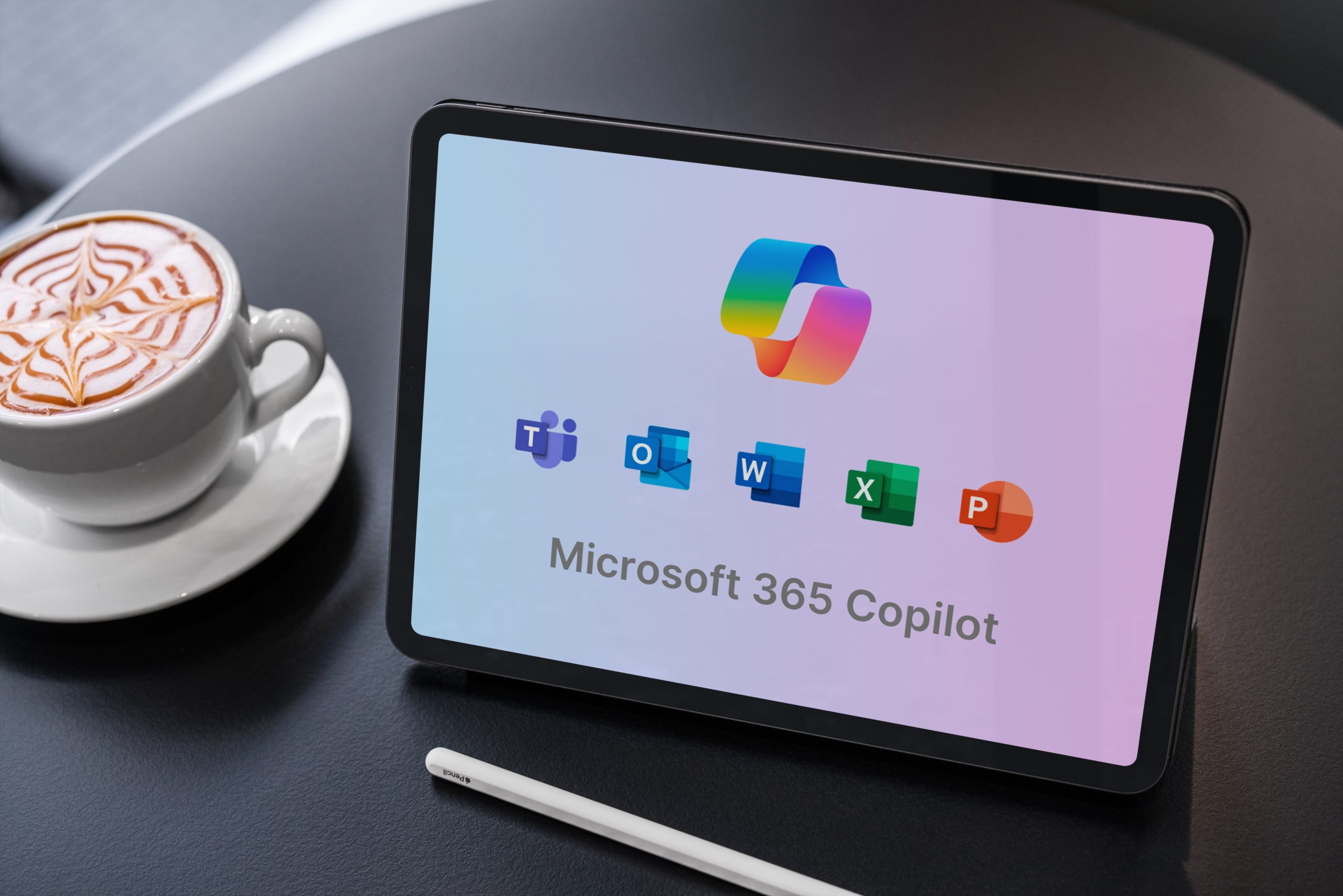
Microsoft 365 Copilot for Business is here!
Microsoft 365 Copilot for Business provides organisations using Microsoft 365 Business suites with a more accessible entry point into AI-powered productivity.
Copilot for Business Is Here
Microsoft 365 Copilot for Business is now available, offering small and mid-sized organisations a more accessible entry point into AI-powered productivity.
Designed specifically for customers with Microsoft 365 Business Suite licenses, Copilot for Business enables organisations with up to 300 users to leverage the full Microsoft Copilot experience at a lower cost than enterprise plans.
What Is Microsoft 365 Copilot for Business?
Microsoft 365 Copilot for Business is available as an add-on to the following Microsoft 365 subscriptions:
-
Microsoft 365 Business Basic
-
Microsoft 365 Business Standard
-
Microsoft 365 Business Premium
It provides the same AI-driven capabilities across Microsoft 365 apps, helping businesses streamline workflows, enhance collaboration, and improve decision-making.
Is There Any Difference Between Copilot for Business and Microsoft 365 Copilot?
At launch, Microsoft 365 Copilot Business delivers the same capabilities as the Microsoft 365 Copilot offering that we are all familiar with – there is no product differentiation however, Microsoft have noted that both the product and pricing may evolve over time.
Pricing Overview
To support the launch of Microsoft 365 Copilot for Business, Microsoft is offering limited-time promotional discounts.
Customers who purchase before 31 March 2026 are eligible for a promotional discount off the RRP pricing. Please reach out to our team for confirmed pricing.
- 15% off Microsoft 365 Copilot for Business (1–300 seats)
- 35% off Microsoft 365 Business Standard + Copilot for Business bundle (10–300 seats)
- 25% off Microsoft 365 Business Premium + Copilot for Business bundle (10–300 seats)
Promotion period: 1 December 2025 to 31 March 2026.
Get In Touch
To connect with one of our Microsoft licensing specialists please contact us on software@cyclone.co.nz, or complete the form below.

Microsoft’s Pricing Changes
What You Need to Know: Microsoft’s EA Changes
Microsoft has changed the pricing model for cloud services purchased via Enterprise Agreements/Enterprise Subscription Agreements. Organisations with a Microsoft Enterprise Agreement (EA) may face a substantial price increase once their current agreement renews and may wish to explore alternate options.
Effective 1 November 2025, Microsoft introduced a major change to how pricing works for its cloud services under Enterprise Agreements (EAs).
- Previously: Companies got discounts based on size, organisations (with Price Levels A–D) paid less for services like Microsoft 365, Dynamics 365 and Azure.
- From 1 November 2025: All EA pricing levels are the same list price for all online services under EA, regardless of size. That means no more volume-based discounts.
What’s not affected:
- On-premises software pricing remains unchanged.
- Education sector EAs.
This means that organisations with an EA may face a substantial price increase once their current agreement renews.
The alternative for online subscriptions is the Cloud Solution Provider (CSP) model.
EA vs CSP: Which Model Fits Your Business?
There are some differences between EA and CSP that organisations should be aware of:
| Feature | Enterprise Agreement (EA) | Cloud Solution Provider (CSP) |
| Commitment | 3-year term with annual true-up | Month-to-month or annual commitment term |
| Pricing | Committed for 3 years | Committed either monthly or annually with some 3-year options available |
| Minimum Seats | 500+ (commercial) | No minimum |
| Billing | Annual upfront | Monthly or annual billing |
| Flexibility | Increase anytime, decrease* only at anniversary (*subscription products only) | Increase anytime, decrease only at anniversary |
Why Partner with Cyclone?
We’re one of just six Microsoft LSPs that can transact EA’s in New Zealand, and a leading CSP provider trusted by commercial, government and education customers nationwide.
- Experts in EA and CSP: As a Microsoft Licensing Solution Provider, Cyclone can assist you with both EA and CSP licensing. We will guide you through the changes, evaluate renewal timing and model cost scenarios across both options.
- Unbiased advice: Because we sell through all Microsoft licensing models, we recommend what’s best for your business.
- Proactive planning: We will help you assess impacts and plan.
- End-to-end service: From license optimisation and compliance to subscription consolidation and ongoing support, Cyclone makes licensing simple.
- Nationwide Presence: Our team of licensing specialists and advisors based throughout New Zealand will work with you to ensure your requirements are met in the most cost-efficient and beneficial manner to your organisation.
To connect with one of our Microsoft licensing specialists please contact us on software@cyclone.co.nz, or complete the form below.
Get In Touch
To connect with one of our Microsoft licensing specialists please contact us on software@cyclone.co.nz, or complete the form below.

Rethinking ICT Management in Schools
Commercial
Rethinking ICT Management in Schools
The complexity and breadth of technology usage in schools has expanded almost exponentially in the last few years, requiring leadership to critically evaluate the smartest and most cost effective way to manage a school’s growing investment in technology.
Historically, an “IT Generalist” could reliably cover most areas of technology in a school, however the combination of increasingly sophisticated cybersecurity threats along with new specialized areas of ICT such as cloud services and AI means even the most committed individual struggles to keep up.
As a result, more schools are seeking to partner with ICT services companies that have a focus on education customers, such as Cyclone. These partnerships allow schools to access a wider range of expertise, with individuals who are typically certified in specialist areas and who can provide comprehensive support to ensure projects, upgrades and emergency ICT responses can be supported in a timely manner.
School leaders should be constantly evaluating how they are performing in the following six core ICT areas. Consider the questions in each section as a self-check warrant of fitness for your organisation.
Security
- Have you had an external audit of your current security posture in the last 12-18 months?
- Are you confident that vendor firmware updates are consistently and reliably applied to critical security appliances such as your firewalls and core network switches?
- Have you provided training to your staff to help them identify and report cybersecurity threats from increasingly sophisticated phishing attacks?
Identity
- Do you have a cloud-based identity provider that allows you to securely access services hosted both on your school network and in the cloud, whether you’re on campus or remote?
- Can your staff and students easily Single Sign On into all school-approved resources (devices, cloud services, SMS, printing etc)?
- Is Multi-Factor-Authentication (MFA) required and enforced when accessing content from a non-secure location?
Endpoints
- Are your school owned laptops/tablets/phones currently managed by an MDM?
- Are vendor released security and operating system patches automatically applied to protect devices and users?
- Are your devices running a managed and updated security product to protect against viruses, malware and other threats?
Network
- Have you had an external audit of your current network in the last 12-18 months?
- Is your wireless network reliable and coping with increased network traffic and number of devices connecting to it?
- Have you budgeted for upgrades to future-proof your network as usage increases, and before current equipment goes end-of-life or end-of-support?
Infrastructure & Cloud
- Have you had an external audit of your current on-premise infrastructure in the last 12-18 months?
- Have you explored which services you currently run on-premise that could be migrated to the cloud or the vendor’s Software as a Service offerings (e.g. Student Management Systems, Library Management Systems, Learning Management Systems, Print Services etc)
- Are you currently backing up core data stored on-premises and in the cloud (e.g. Microsoft 365 and Google Workspace) and regularly performing test restorations to build confidence in your disaster recovery capabilities?
Artificial Intelligence
- Do you have an organisational AI policy that has been communicated to your staff and students with clear expectations around usage and approved AI platforms?
- Have you performed an audit of security permissions for cloud resources to prevent accidental data leaks / exposure before purchasing AI tools like Microsoft Copilot for M365 and Google Gemini?
- Have you provided training to AI Champions inside your organisation to help maximise the value of AI to your users?
If you have identified there are gaps or concerns to the above questions, then reach out to Cyclone for assistance on 0800 686 686 or hello@cyclone.co.nz.
AI Security
Commercial
Setting a Clear Course in the Turbulent Seas of AI
In the digital age, the advent of artificial intelligence (AI) has presented both opportunities and challenges, especially for educational institutions. Schools in Aotearoa are renowned for their commitment to providing exceptional education, find themselves navigating the everchanging landscape of AI integration. As an AI Specialist at Cyclone, I want to share crucial advice on how these schools can set a clear course in this evolving landscape.
The Imperative of Data Protection and Privacy
One of the foremost considerations for independent schools venturing into AI is the protection of data and privacy. Generative AI tools offer immense potential to enhance learning, but it is imperative to select tools that prioritise data security. Schools should lean towards using data-protected and private AI tools such as Google Gemini, Microsoft Copilot and Apple Intelligence. These platforms are designed with robust security features that safeguard sensitive student and staff information, and this protection comes with purchased Workspace or 365 licences.
Conversely, it is advisable to avoid using Open tools such as ChatGPT, Claude and Perplexity for educational purposes. While OpenAI has made significant strides in AI development, concerns about data privacy and security persist. Independent schools must be vigilant in selecting AI tools that comply with stringent data protection standards to maintain the trust of parents, students, and staff.

Developing a Comprehensive AI Strategy
The integration of AI into the educational framework should not be approached haphazardly. It requires a well-thought-out strategy that aligns with the school’s values and goals. A key component of this strategy is the development of policies that govern the use of AI tools. However, more crucial than a general policy is the establishment of an Acceptable Use Policy (AUP) specifically for AI.
An Acceptable Use Policy serves as a guiding document that outlines the boundaries for AI usage by teachers and students. For teachers, the AUP should provide clear guidelines on what generative AI should and should not be used for. This clarity helps prevent misuse and ensures that AI is employed to enhance teaching rather than replace fundamental educational practices.
For instance, teachers might be encouraged to use AI for unit planning and assessment creation but cautioned against using AI for grading student work or drafting emails to parents without proper oversight. By setting these boundaries, schools can ensure that AI tools are used ethically and effectively, contributing positively to the educational environment.
Creating an AUP requires a collaborative approach involving educators, administrators, and IT professionals. Schools should also consult or utilise Boards of Governors during the process. It should be a living document, regularly reviewed and updated to reflect emerging trends and technologies. Training sessions for teachers on the ethical and practical aspects of AI usage are essential to ensure adherence to the policy.
Moreover, involving students in the development of the AUP can foster a sense of ownership and responsibility. For example, secondary school students above the age of thirteen could participate in workshops where they discuss the ethical use of AI and propose guidelines for its implementation in their classrooms. By educating students about the ethical use of AI, schools can cultivate a generation of digitally literate individuals who understand the implications of AI technology.
Embracing the Benefits While Mitigating Risks
While the cautious adoption of AI is essential, it is equally important to embrace the benefits that AI can bring to the educational landscape. Currently, staff and students are already utilising these generative AI tools to enhance their learning experiences. For instance, AI can personalise learning experiences by providing customised lesson plans and resources tailored to individual student needs, making education more accessible for students with diverse learning profiles. They can also provide real-time feedback, enabling teachers to tailor their instruction to individual student progress.
However, the focus should always be on augmenting human capabilities rather than replacing them. Teachers play a pivotal role in nurturing critical thinking, creativity, and emotional intelligence—qualities that AI cannot easily replicate currently. Therefore, AI should be seen as a tool to support teachers in their mission to provide holistic education.
In conclusion, the integration of AI in independent schools in Aotearoa requires a balanced approach that prioritises data protection, ethical usage, and strategic planning. By opting for secure AI tools like Google Gemini, Microsoft Copilot and Apple Intelligence, developing comprehensive Acceptable Use Policies, schools can harness the potential of AI while safeguarding the interests of their communities. As we navigate these turbulent seas, let us set a course that embraces innovation while upholding the values that define exceptional education.
Written with the assistance of Microsoft Copilot 365.

written by our very own
Danny Bedingfield
Danny is a Learning, Development, and AI Specialist with over a decade of experience in integrating technologies into education. He excels in creating AI strategies that enhance learning and promote ethical use. Danny has helped schools develop Acceptable Use Policies and provided training for teachers and students on AI. His collaborative method ensures effective use of AI tools to support education.
If you are interested in following up on these insights or would like Danny to present at your school, please reach out to him at Danny.Bedingfield@Cyclone.co.nz . Embrace the future of education with the guidance of an expert who is committed to fostering digitally literate and ethically informed learners.
Not if, but when. Ransomware on the rise.
Commercial
Make your organisation cyber resilient.
The excerpt will automatically add to here. Do not edit this block.
Protecting your organisation starts with protecting your data.
Ransomware. It wasn’t that long ago that it was a thing that happened to other people, often the big corporates, the blue chips in America. But not us in little old New Zealand/Aotearoa. We would occasionally hear it mentioned on the news in passing, or on page 10 of the paper. Leap forward to 2021, the year of COVID-19, of lockdowns and the now ubiquitous phrase ‘you are on mute’. The number of attacks made public on local organisations has increased. The biggest single target being the Waikato DHB. They estimate it taking another 2 years before they are back to where they were.
And at the start of July international software company Kaseya had their remote management tools hijacked to deliver ransomware to unsuspecting victims. This new development is concerning, because the end users did not do anything wrong, nor did the support organisations.
So what can we learn from these high-profile attacks, and what steps can we take to reduce the risk you are next? The number one thing to do if you haven’t already is to turn on multi-factor authentication (MFA) for all system administrators at a minimum, and preferably all staff. If you have a software platform that doesn’t support MFA you need to be asking questions of the vendor. If you have the choice of methods, using an app on your phone is top of the list, followed by a third party rotating key token (banks often use these). The worst options are receiving an email or text message – neither of these two options are secure.
Ensure you are backing up your data. This includes Office365 and Google Workplace content. Not all backups are created equal though. Your backups should be going to an offsite location, retained for at least 60 days, and tested. It is no good making a copy of everything to a local hard drive if there is a fire! And no good backing things up if you cannot restore it. In the ideal world backup systems would be air-gapped from the source, and write permissions only allowed to the backup solution. These backups should be monitored and any anomalies investigated. Its common for attackers to quietly infect a system, then wait a month or more for all backups to also be infected before attacking. Look for larger than usual backup sizes, and odd looking content. Artificial Intelligence (AI) bots exist that can do this for you. For those with on-premise servers, ensure your DNS and Active Directory are included in the backups, and ideally locked away separately in a vault (software or physical) so you can quickly recover your infrastructure.
Review who has access to what. You shouldn’t have more than three super-admins/global admins in any system, and these should be protected with MFA. Also review who has remote access into your systems, either using a VPN or some other method. Separate out the different administrative roles so breaching one account will not open the floodgates.
Microsoft have a global threat activity website that shows cyber-threat activity for the last 30 days. Disturbingly education makes up of 60% of all recent encounters.
Cyberthreats, viruses, and malware – Microsoft Security Intelligence
Subscribe to our newsletter
Subscribe to Cyclone news to keep up to date with new technology, current trends and future thinking.

It’s ugly out there, people. Good security starts with you.
Commercial
Avoid the hook.
The excerpt will automatically add to here. Do not edit this block.
Staying secure in the modern world
Halfway through the 2021 academic year, and we are still hearing of phishing attacks on schools at all levels throughout Aotearoa. There was a time were only the big global companies were targeted by these attacks. The recent attack on the Waikato DHB should be, and has been, a wake-up call for all organisations. One thing that strikes me when visiting schools is the lack of awareness posters up on the walls. Nothing in the staff room, nothing in the hallways, nothing in the learning spaces.
For me this is concerning. Most if not all schools have some form of a Digital Citizenship programme they run for students. Part of being a good digital citizen is knowing how to keep safe online. Being able to identify a phishing email, learning to not download an application from a random Internet site, or clicking on links in instant messages is central to this (ISTE standard 2B for students relates directly to this very point).
The risks that these types of attacks can introduce can be broadly categorised into one of two buckets; ransomware , where all your files are encrypted and you cannot access them without paying the hijackers, and theft where either your data is stolen to be sold on the dark web, or you are tricked into paying phoney invoices.
Ransomware attacks are growing. Imagine being at the end of a school year, your students have worked hard all year on assignments, and suddenly they are no longer available for final grading or revision for external exams.
Arguably worse than a ransomware attack is the theft of data. Schools hold a large amount of personally identifiable information (PII) about staff and students, from home addresses to medical information. All this information holds a value, whether for identity theft, online bully or worse.
Being tricked into sending school funds to bad actors is still a very real risk, despite years of publicity around the tricks used. A request to purchase 100 iTunes cards for example, or a request from the ‘principal’ to urgently pay the attached invoice should set off alarm bells. The sad reality is it doesn’t always.
We live in an always-on world, connected across multiple online platforms. The ease in which we share content and connect to friends and colleagues has exploded in the last 5 years. Unfortunately this connectedness allows the attackers to understand the hierarchy at a school, the movements of staff and tailor their messaging accordingly. And because so many transactions are now done online, seeing an email from your favourite online store offering a special deal is accepted with glee, not scepticism.
Awareness of how to identify a phishing or bogus email can reduce the chances of a user falling for it and introducing an external threat. Better still, awareness and on-going training and assessment that is targeted to the whole school community. The cost to implement these steps starts at $0.
Ask yourself, what is the financial and reputational cost to do nothing and be compromised?